

TL;DR: Generative AI is new, powerful, and already reshaping how children learn robotics. This post translates the OECD Digital Education Outlook 2026 into six practical actions parents can use at home and when supporting teams so kids learn deeply, compete fairly, and use AI responsibly. It also addresses common objections—privacy, equity, and the fear that AI will replace learning—with concrete mitigations you can use immediately.
“Generative AI has the potential to transform the quality and effectiveness of learning, as well as the productivity of education systems, provided its associated risks are carefully managed.”
“When used as a shortcut rather than a learning tool, generative AI can displace cognitive effort and weaken the skills that underpin deep learning.”
Why this matters to parents — short and human
Generative AI (GenAI) powers tools that can suggest code, propose design changes, and generate debugging hints. The OECD’s 2026 review shows GenAI can improve personalised learning and free up coach time, but it also warns that unguarded use can turn helpful suggestions into shortcuts that weaken understanding. As a parent, your role is simple: help your child get the benefits of AI while protecting the thinking skills that matter long term. That means insisting on reflection, process, explainability, and privacy.
Six parent actions you can use this month
Each action below is practical, low‑effort, and designed to preserve learning while letting your child benefit from AI.
1. Require a short reflection after any AI help
What to do: After your child uses an AI tool, ask for a 100–150 word reflection explaining what they accepted, changed, or rejected.
Why it matters: Reflection turns answers into understanding and prevents AI from becoming a shortcut.
Script: “Show me the AI suggestion. In two short paragraphs, tell me why you followed it or why you changed it.”
Try this month: Ask for one reflection after the next three practice sessions.
What to watch for: Explanations that show reasoning (good) versus copy‑paste summaries (not enough).
2. Build a simple learning portfolio at home
What to do: Keep a digital folder with code snapshots, photos of prototypes, short test logs, and two short reflections per month.
Why it matters: Portfolios make learning visible and show growth beyond trophies.
Script: “Let’s save today’s code and a photo. Can you write two lines about what changed since last week?”
Try this month: Create a folder and add three artifacts.
What to watch for: Iteration evidence (versions, notes) rather than only final results.
3. Ask coaches how they use AI and how they check understanding
What to do: At the next meeting, ask the coach how AI is integrated and how they ensure students still learn the reasoning behind solutions.
Why it matters: Tools are effective only when paired with pedagogy and human oversight.
Script: “How do you use AI in practice, and how do you make sure students still learn the reasoning behind their solutions?”
Try this month: Raise this question at the next meeting or send it by email.
What to watch for: Coach responses that mention reflection, human checkpoints, or portfolio use.
4. Prefer educational tools and ask about explainability
What to do: Encourage the use of tools designed for education and ask whether the tool explains why it suggested something.
Why it matters: General chatbots can give plausible but misleading answers; purpose‑built tools are more likely to align with learning goals.
Script: “Does this tool show why it suggested that change, or just give an answer?”
Try this month: Request a short demo or explanation from the coach or vendor.
What to watch for: Tools that provide reasoning or step‑by‑step hints versus those that only give final answers.
5. Protect privacy: insist on simple governance
What to do: Require that any logs or AI outputs shared outside the team are anonymised and that you sign a short consent form for data use.
Why it matters: Student data must be handled transparently and safely.
Script: “Please anonymise logs before sharing and provide a short consent form explaining what data is kept and for how long.”
Try this month: Ask the team to adopt a one‑page consent template (text below).
What to watch for: Whether logs are anonymised and whether retention periods are stated.
6. Praise process, not just trophies
What to do: When you talk about competitions, praise iteration, teamwork, and clear explanations — not only wins.
Why it matters: Valuing process encourages learning and reduces incentives to game systems.
Script: “Tell me, in three sentences, why you chose that design and what you learned from the last test.”
Try this month: After the next event or practice, ask for a 3‑sentence explanation.
What to watch for: Clear, concise explanations that show understanding.
Quick templates you can copy
One‑page consent template (copy/paste):
- Purpose: Practice logs and AI outputs for coaching and learning.
- Data retained: Anonymised logs only; names removed.
- Retention: 30 days unless otherwise agreed.
- Use: Coaching, judging (anonymised), and portfolio evidence.
- Parent consent: [signature line]
Explainability card (3 bullets your child can use):
- Problem we solved.
- Approach we tried.
- One thing we learned.
Addressing likely objections — honest, practical responses
Parents and stakeholders will raise concerns. Below are the main objections and how this post responds.
“This encourages shortcuts — kids will stop learning to think.”
Response: That risk is real. The solution is not banning AI but pairing it with reflection and human checkpoints. The reflection rule and portfolio practice are designed specifically to preserve cognitive effort.
“You’re turning competitions into paperwork and excuses.”
Response: Portfolios are optional complements, not replacements for performance runs. They give judges context and reward learning. Use minimal templates so small teams aren’t burdened: one page, three artifacts, two reflections.
“This normalises student data collection without safeguards.”
Response: No. The consent template, anonymisation step, and retention limit are non‑negotiable. Ask organisers to publish a short data policy and make anonymisation automatic.
“AI will replace teachers and make kids dependent on tools.”
Response: OECD evidence shows tools are most effective when teachers and coaches guide their use. The coach question and coach‑led checkpoints keep adults central.
“You dismiss innovation by preferring purpose‑built tools.”
Response: Not at all. The recommendation is pragmatic: prefer tools that explain their reasoning and align with learning goals. General models can be used if they meet explainability and safety checks.
Equity and feasibility — how small teams can adopt this without extra cost
- Scaled‑down portfolio: one photo, one code snapshot, one short reflection.
- Low‑cost reflection: use a shared Google Doc or a simple notebook.
- Minimal judge burden: provide a one‑page rubric and ask judges to read portfolios for 5 minutes per team.
- Community sharing: swap templates among teams so no one builds everything from scratch.
Simple governance checklist parents can insist on
- Consent form signed by parents/guardians.
- Anonymisation: remove names and student IDs before sharing logs.
- Human‑in‑the‑loop: coach reviews any AI suggestion used in judged runs.
- Retention limit: logs stored no longer than 30 days unless agreed.
- Vendor transparency: ask whether the tool stores student inputs and how to request deletion.
How competitions are changing — what to expect
Organisers are experimenting with portfolios and explainability rubrics. If your child’s competition accepts process evidence, encourage them to submit it. Help your child rehearse a 2–3 minute explanation of their robot and any AI used. If you can, volunteer to help with judge briefings so you see how process is evaluated and ensure fairness.
Final note — a beacon into the future
Generative AI is a relative newcomer but already pervasive. The OECD’s message is clear: GenAI can deepen learning and make coaching more effective — if we pair it with pedagogy, human oversight, and governance. As a parent, you don’t need to be a technologist. Be a guardian of learning: insist on reflection, process, explainability, and privacy. These small, practical steps will help your child benefit from AI’s power without losing the thinking skills that matter most.
Source: OECD, Digital Education Outlook 2026: Exploring Effective Uses of Generative AI in Education.
Quick checklist for busy parents (pick one to try this week)
- Ask your child for a 100–150 word reflection after AI help.
- Start a digital portfolio folder and add one artifact.
- Ask the coach: “How do you check student understanding when AI is used?”
- Request anonymisation and a short consent form for logs.
- Practice a 3‑sentence explainability card with your child.
- Praise iteration and teamwork after the next event.
Disclaimer
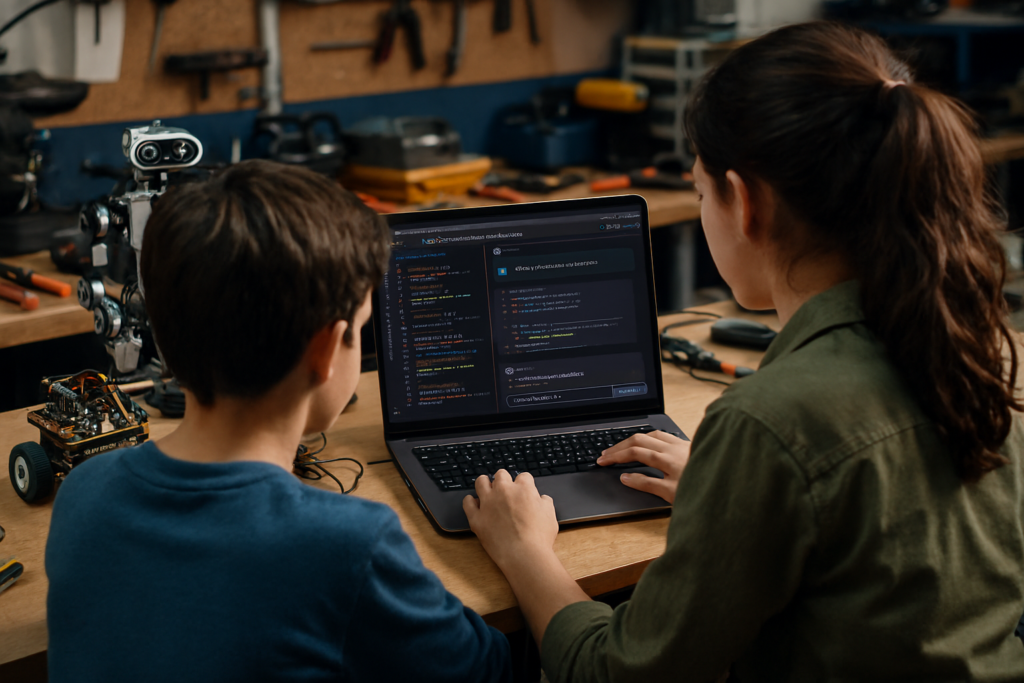
Disclaimer: This article was written by Copilot, an AI companion created by Microsoft. The accompanying workshop image was also generated by Copilot. The content synthesizes the OECD report and other public sources to provide practical guidance for parents, but it may contain errors or omissions. Please verify citations and policy details with the original sources (for example, the OECD report) and consult your child’s coaches or school for decisions that affect privacy, safety, or competition rules.